<p></p>
<p>Let's cut right to it: if you're running a business website on WordPress in 2026, you've probably wondered whether those flashy page builders are helping or hurting your search rankings. It's a fair question, and one we get asked a lot here at Dev Hero.</p>
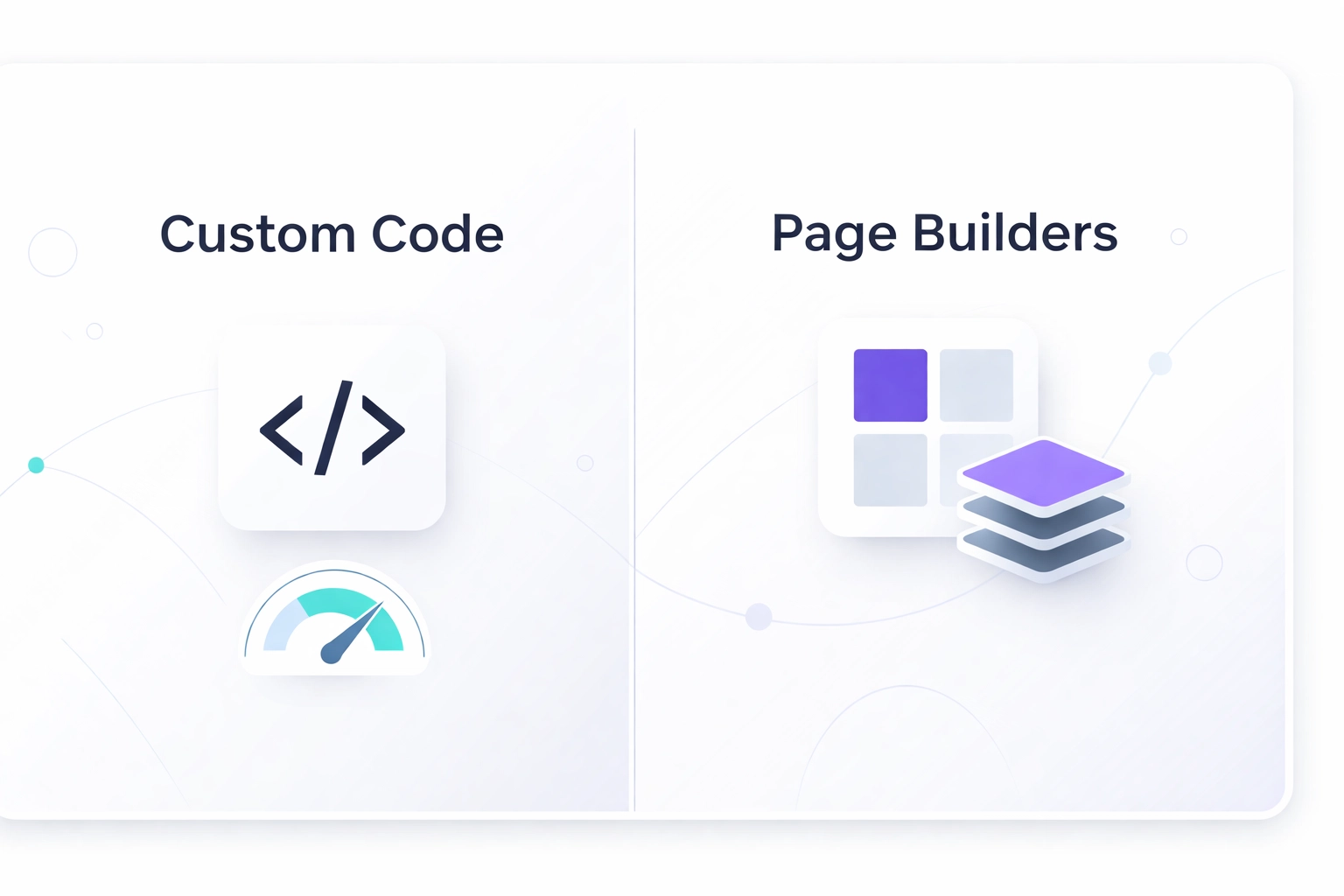
<p>Page builders like Elementor, Divi, and WPBakery have made WordPress accessible to millions of people who don't know a div from a database. That's genuinely awesome. But when it comes to SEO performance? Well, that's where things get complicated.</p>
<p>As a web development company that's built countless WordPress sites over the years, we've seen firsthand how the choice between custom WordPress themes and page builders can make or break a site's search visibility. So let's break down what actually matters for SEO in 2026 and help you figure out the best path forward.</p>
<h2>The Page Builder Promise (And The Fine Print)</h2>
<p>Page builders sell a dream: drag, drop, and you've got a beautiful website. No coding required. And honestly? They deliver on that promise. You <em>can</em> build a visually impressive site without touching a single line of code.</p>
<p>But here's what the marketing doesn't mention: all that visual magic comes at a cost.</p>
<p>Every time you drag a widget onto your page, the builder generates code behind the scenes. And unlike a skilled WordPress developer who writes lean, purposeful code, page builders tend to generate... a lot of extra stuff. We're talking nested divs, inline styles, unused CSS, JavaScript libraries you'll never need, and shortcodes that make your database work overtime.</p>
<p><img src="https://cdn.marblism.com/sfDSyLNj_Mp.webp" alt="Illustration showing bloated page builder code creating digital clutter compared to clean WordPress development" style="max-width: 100%; height: auto;"></p>
<p>It's like ordering a salad and getting it buried under a mountain of croutons. Sure, it looks impressive, but it's not exactly what you asked for.</p>
<h2>Why Speed Is Non-Negotiable in 2026</h2>
<p>Here's the thing about Google: they've been crystal clear that page speed matters. And in 2026, Core Web Vitals aren't just "nice to have", they're a ranking factor that can push you up or pull you down in search results.</p>
<p>Core Web Vitals measure three key things:</p>
<ul>
<li><strong>Largest Contentful Paint (LCP)</strong>: How fast does your main content load?</li>
<li><strong>Interaction to Next Paint (INP)</strong>: How quickly does your site respond when someone clicks or taps?</li>
<li><strong>Cumulative Layout Shift (CLS)</strong>: Does your content jump around while loading?</li>
</ul>
<p>Page builders struggle with all three. That bloated code we mentioned? It slows down your LCP. All those JavaScript files? They make your INP sluggish. And those dynamically loaded elements? Hello, layout shift.</p>
<p>Custom WordPress themes, on the other hand, can be built from the ground up with Core Web Vitals in mind. A skilled team doing WordPress theme development will write only the code your site actually needs: nothing more, nothing less. The result? Faster load times, snappier interactions, and a stable visual experience.</p>
<blockquote>
<p>Your website's speed isn't just about user experience anymore. It's a direct ranking signal. Every millisecond counts.</p>
</blockquote>
<h2>Custom Fields vs. Shortcodes: The Hidden SEO Factor</h2>
<p>Here's something most business owners never think about: how your content is stored in the database matters for SEO.</p>
<p>Page builders rely heavily on shortcodes: those bracketed snippets like <code>[row][column]Your content here[/column][/row]</code>. The problem? Search engines see this messy code before it's rendered. While Google has gotten better at parsing JavaScript-rendered content, it's still not ideal.</p>
<p><img src="https://cdn.marblism.com/cKUNdOmTUzv.webp" alt="Comparison of messy shortcode database structure versus organized custom WordPress theme data architecture" style="max-width: 100%; height: auto;"></p>
<p>Custom WordPress themes typically use custom fields (often powered by ACF or similar plugins) to store content cleanly and semantically. Your headline is stored as a headline. Your paragraph is stored as a paragraph. When search engine crawlers come knocking, they see clean, structured content that's easy to understand and index.</p>
<p>Think of it like this: shortcodes are like giving someone directions using landmarks that might not exist anymore. Custom fields are like giving them a GPS address. Which one do you think gets them there faster?</p>
<h2>Clean Code and Search Engine Crawling</h2>
<p>Speaking of crawlers, let's talk about what happens when Googlebot visits your site.</p>
<p>Search engines have a "crawl budget": essentially, a limit on how much time and resources they'll spend indexing your site. If your pages are bloated with unnecessary code, crawlers waste their budget parsing through junk instead of indexing your actual content.</p>
<p>Custom WordPress themes built by experienced developers use semantic HTML and optimized CSS. This means:</p>
<ul>
<li><strong>Proper heading hierarchy</strong> (H1, H2, H3) that tells search engines exactly how your content is structured</li>
<li><strong>Minimal inline styles</strong> that keep your pages lightweight</li>
<li><strong>No unused code</strong> sitting around taking up space</li>
<li><strong>Optimized asset loading</strong> so scripts and styles load only when needed</li>
</ul>
<p>The cleaner your code, the easier it is for search engines to understand what your page is about. And when Google understands your content, you're more likely to rank for the terms that matter to your business.</p>
<h2>When Page Builders Actually Make Sense</h2>
<p>Now, we're not here to completely trash page builders. They have their place.</p>
<p>If you're a solopreneur launching a simple landing page, a page builder might get you online faster without breaking the bank. If you're testing a business idea and need something up quickly, that convenience has real value.</p>
<p>But if you're serious about long-term organic growth: if SEO is part of your business strategy: then you need to think beyond the drag-and-drop convenience.</p>
<p><img src="https://cdn.marblism.com/npEMNsnWq0h.webp" alt="Choosing between quick page builder shortcuts and strategic custom WordPress theme development for SEO" style="max-width: 100%; height: auto;"></p>
<p>The businesses we work with at Dev Hero aren't just looking for "a website." They're looking for a digital asset that performs, converts, and ranks. And that's a different conversation entirely.</p>
<h2>Why We Specialize in Custom WordPress Themes</h2>
<p>At Dev Hero, we made a deliberate choice to focus on custom WordPress themes rather than page builder solutions. Here's why:</p>
<p><strong>Performance is in our DNA.</strong> Every theme we build is optimized for speed from day one. We implement lazy loading, efficient caching strategies, and streamlined database queries because we know these details impact rankings.</p>
<p><strong>We build for your content.</strong> Instead of forcing your content into pre-built blocks, we design structures that fit your specific keywords, audience, and SEO goals. Your website architecture becomes a strategic advantage, not an afterthought.</p>
<p><strong>Future-proofing matters.</strong> Page builders update constantly, and sometimes those updates break things. Custom themes built on WordPress best practices are more stable and easier to maintain over time.</p>
<p><strong>Clean code is our standard.</strong> When you look under the hood of a Dev Hero site, you'll find organized, documented code that any competent WordPress developer can work with. No mystery meat, no tangled shortcodes.</p>
<p>We've seen too many businesses come to us after years of fighting with page builder performance issues. They've tried every optimization plugin, every caching solution, every "speed hack" they found on YouTube. Eventually, they realize the problem isn't something a plugin can fix: it's baked into the foundation.</p>
<h2>Making the Right Choice for Your Business</h2>
<p>So, custom WordPress themes vs. page builders: which is best for SEO?</p>
<p>If you're playing the long game: and you should be: custom wins. The performance benefits, the clean code, the crawlability, the Core Web Vitals scores... it all adds up to better rankings and more organic traffic over time.</p>
<p>That doesn't mean the switch has to happen overnight. But if you're serious about growing your online presence, it's worth having a conversation about what a custom solution could do for your business.</p>
<p>Want to see what we've built for other clients? <a href="https://dev-hero.com/web-portfolio">Check out our portfolio</a> or <a href="https://dev-hero.com/meetings">book a meeting</a> to chat about your project. We'd love to show you what's possible when your website is built for performance from the ground up.</p>
Let's cut right to it: if you're running a business website on WordPress in 2026, you've probably wondered whether those flashy page builders are helping or hurting your search rankings. It's a fair question, and one we get asked a lot here at Dev Hero.
Page builders like Elementor, Divi, and WPBakery have made WordPress accessible to millions of people who don't know a div from a database. That's genuinely awesome. But when it comes to SEO performance? Well, that's where things get complicated.
As a web development company that's built countless WordPress sites over the years, we've seen firsthand how the choice between custom WordPress themes and page builders can make or break a site's search visibility. So let's break down what actually matters for SEO in 2026 and help you figure out the best path forward.
The Page Builder Promise (And The Fine Print)
Page builders sell a dream: drag, drop, and you've got a beautiful website. No coding required. And honestly? They deliver on that promise. You can build a visually impressive site without touching a single line of code.
But here's what the marketing doesn't mention: all that visual magic comes at a cost.
Every time you drag a widget onto your page, the builder generates code behind the scenes. And unlike a skilled WordPress developer who writes lean, purposeful code, page builders tend to generate... a lot of extra stuff. We're talking nested divs, inline styles, unused CSS, JavaScript libraries you'll never need, and shortcodes that make your database work overtime.

It's like ordering a salad and getting it buried under a mountain of croutons. Sure, it looks impressive, but it's not exactly what you asked for.
Why Speed Is Non-Negotiable in 2026
Here's the thing about Google: they've been crystal clear that page speed matters. And in 2026, Core Web Vitals aren't just "nice to have", they're a ranking factor that can push you up or pull you down in search results.
Core Web Vitals measure three key things:
- Largest Contentful Paint (LCP): How fast does your main content load?
- Interaction to Next Paint (INP): How quickly does your site respond when someone clicks or taps?
- Cumulative Layout Shift (CLS): Does your content jump around while loading?
Page builders struggle with all three. That bloated code we mentioned? It slows down your LCP. All those JavaScript files? They make your INP sluggish. And those dynamically loaded elements? Hello, layout shift.
Custom WordPress themes, on the other hand, can be built from the ground up with Core Web Vitals in mind. A skilled team doing WordPress theme development will write only the code your site actually needs: nothing more, nothing less. The result? Faster load times, snappier interactions, and a stable visual experience.
Your website's speed isn't just about user experience anymore. It's a direct ranking signal. Every millisecond counts.
Custom Fields vs. Shortcodes: The Hidden SEO Factor
Here's something most business owners never think about: how your content is stored in the database matters for SEO.
Page builders rely heavily on shortcodes: those bracketed snippets like [row][column]Your content here[/column][/row]. The problem? Search engines see this messy code before it's rendered. While Google has gotten better at parsing JavaScript-rendered content, it's still not ideal.

Custom WordPress themes typically use custom fields (often powered by ACF or similar plugins) to store content cleanly and semantically. Your headline is stored as a headline. Your paragraph is stored as a paragraph. When search engine crawlers come knocking, they see clean, structured content that's easy to understand and index.
Think of it like this: shortcodes are like giving someone directions using landmarks that might not exist anymore. Custom fields are like giving them a GPS address. Which one do you think gets them there faster?
Clean Code and Search Engine Crawling
Speaking of crawlers, let's talk about what happens when Googlebot visits your site.
Search engines have a "crawl budget": essentially, a limit on how much time and resources they'll spend indexing your site. If your pages are bloated with unnecessary code, crawlers waste their budget parsing through junk instead of indexing your actual content.
Custom WordPress themes built by experienced developers use semantic HTML and optimized CSS. This means:
- Proper heading hierarchy (H1, H2, H3) that tells search engines exactly how your content is structured
- Minimal inline styles that keep your pages lightweight
- No unused code sitting around taking up space
- Optimized asset loading so scripts and styles load only when needed
The cleaner your code, the easier it is for search engines to understand what your page is about. And when Google understands your content, you're more likely to rank for the terms that matter to your business.
When Page Builders Actually Make Sense
Now, we're not here to completely trash page builders. They have their place.
If you're a solopreneur launching a simple landing page, a page builder might get you online faster without breaking the bank. If you're testing a business idea and need something up quickly, that convenience has real value.
But if you're serious about long-term organic growth: if SEO is part of your business strategy: then you need to think beyond the drag-and-drop convenience.

The businesses we work with at Dev Hero aren't just looking for "a website." They're looking for a digital asset that performs, converts, and ranks. And that's a different conversation entirely.
Why We Specialize in Custom WordPress Themes
At Dev Hero, we made a deliberate choice to focus on custom WordPress themes rather than page builder solutions. Here's why:
Performance is in our DNA. Every theme we build is optimized for speed from day one. We implement lazy loading, efficient caching strategies, and streamlined database queries because we know these details impact rankings.
We build for your content. Instead of forcing your content into pre-built blocks, we design structures that fit your specific keywords, audience, and SEO goals. Your website architecture becomes a strategic advantage, not an afterthought.
Future-proofing matters. Page builders update constantly, and sometimes those updates break things. Custom themes built on WordPress best practices are more stable and easier to maintain over time.
Clean code is our standard. When you look under the hood of a Dev Hero site, you'll find organized, documented code that any competent WordPress developer can work with. No mystery meat, no tangled shortcodes.
We've seen too many businesses come to us after years of fighting with page builder performance issues. They've tried every optimization plugin, every caching solution, every "speed hack" they found on YouTube. Eventually, they realize the problem isn't something a plugin can fix: it's baked into the foundation.
Making the Right Choice for Your Business
So, custom WordPress themes vs. page builders: which is best for SEO?
If you're playing the long game: and you should be: custom wins. The performance benefits, the clean code, the crawlability, the Core Web Vitals scores... it all adds up to better rankings and more organic traffic over time.
That doesn't mean the switch has to happen overnight. But if you're serious about growing your online presence, it's worth having a conversation about what a custom solution could do for your business.
Want to see what we've built for other clients? Check out our portfolio or book a meeting to chat about your project. We'd love to show you what's possible when your website is built for performance from the ground up.